Free and open source
MIT licensed. No paywall, no trial, no limit and no watermark. Read the code, report issues or contribute on GitHub.
Available for Windows, macOS and Linux · Free & open source
A free desktop video editor for creators: a multitrack timeline, offline auto captions in Arabic, English and more, GPU effects, filters and transitions, screen recording, and export up to 4K.
Version 2.0.0 (beta) · Windows 10 / 11, 64-bit · about 153 MB
CapRocket is free. Keep it that way. There is no paid plan and there never will be. If CapRocket saves you time or money, a coffee helps keep it growing. Starring the project on GitHub and sharing the app help a lot too.
Support on Ko-fi
Showcase
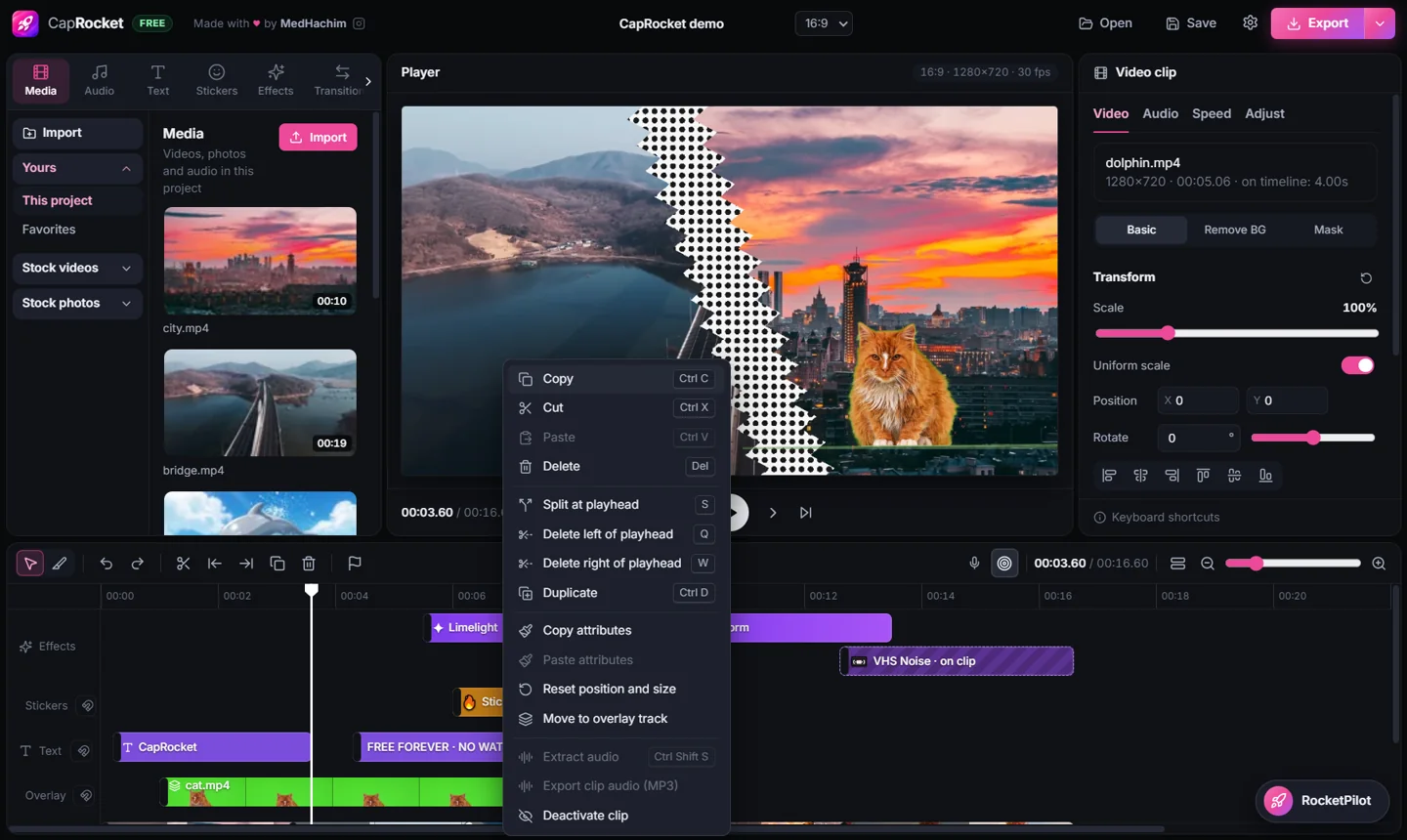
Every clip below is captured from CapRocket itself. Nothing is mocked up.
Features
All of it is included. No feature is locked behind a plan.
Magnetic main track plus overlay, text, stickers, effects and audio tracks, with filmstrips, waveforms, snapping, ripple editing and undo for everything. Select several clips with a box or Ctrl + click, and zoom with Ctrl + wheel.
Record a screen or a window with the computer sound and your microphone. The camera is recorded as its own clip in a round or square bubble, and the Stop bar never shows in the video. The recording lands on the timeline as MP4.
Whisper runs on your PC through whisper.cpp. Arabic, English and dozens more. The speech model (about 150 MB) downloads once, the first time you use it.
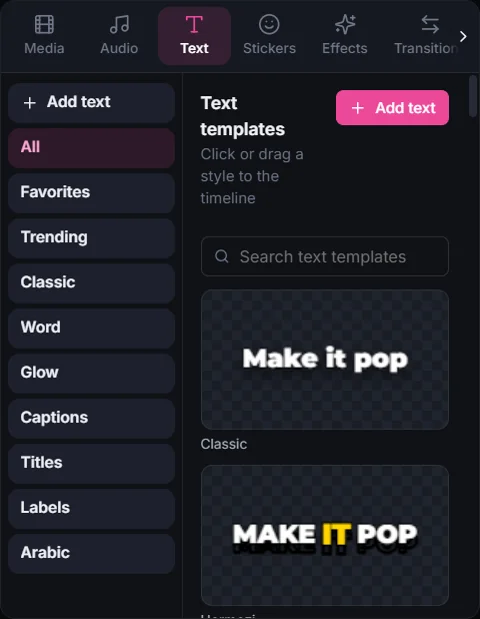
Templates such as Hormozi, Karaoke, Word Box, Neon and Arabic Bold, with word-by-word highlights, Arabic fonts, outlines, shadows and animations. One click styles every caption.
VHS Noise, Snow Storm, Fire Burn, Comic Cut, Mosaic Wipe and more, rendered with WebGL2. The same shaders draw the player and the export, so what you see is what you get.
Remove green screens with a colour picker, feather and spill removal. Masks: split, filmstrip, circle, rectangle, stars, heart and text, with feather and invert.
Scale, position, rotation, opacity, 13 blend modes, picture-in-picture on the overlay track, speed from 0.25× to 4×, and a full screen player (F).
In, Out and Combo animations (fade, zoom, slide, spin, pop, shake, slow zoom, orbit…) with live previews. Keyframes for scale, position, rotation and opacity, added from the clip panel or by moving the picture in the player.
41 filters in 8 groups with an intensity slider, 5 included LUTs or your own .cube files, and color adjustments: temperature, exposure, contrast, highlights, shadows and more, plus HSL for eight color ranges and Curves.
Free voices that run on your PC (Piper) in English, French, Spanish, German and Arabic, or ElevenLabs voices with your own key.
Music and sound effects that are free to use in videos, 20 built-in offline sound effects, and Pixabay stock videos and photos with your free key.
Ask in your own words: “remove the silences”, “add captions in Arabic”, “zoom in on the important moments”. Works with Google Gemini, Groq (free keys) or any OpenAI-compatible service, using your own key. Every request can be undone in one click.
MP4 from 480p to 4K, any aspect ratio (16:9, 9:16, 1:1, 4:5…), 24 to 60 fps. Audio only as MP3, WAV or M4A. Never a watermark.
10-bit, HEVC and above-1080p videos get a light preview copy automatically for smooth editing. The export always uses your original file.
Record a voice-over on the timeline, set volume and fades, extract the audio of a clip, and copy the credits that CC BY tracks require.
Why CapRocket
Many editors keep their best tools for paying users. In CapRocket, auto captions, background removal, masks, animations and keyframes, screen recording, text to speech and 4K export are simply part of the app.
MIT licensed. No paywall, no trial, no limit and no watermark. Read the code, report issues or contribute on GitHub.
A real Windows app with FFmpeg and GPU rendering. Your media stays on your computer; online libraries are only contacted when you search them.
Offline transcription in dozens of languages, Arabic caption fonts and right-to-left text, and word-by-word highlights for short-form video.
RocketPilot and online voices are optional. API keys are encrypted with Windows secure storage and never leave the app’s main process.
Install and start editing. There is nothing to sign up for and nothing to subscribe to.
Library, player, inspector and timeline where creators expect them, with the editing shortcuts you already know.
Workflow
Drag videos, photos and audio from Explorer, record your screen, or pick music, sounds and stock footage from the libraries.
Split, trim, ripple and arrange clips on the magnetic main track and the overlay tracks.
Generate captions offline, style them in one click, and add effects, transitions and voices.
MP4 up to 4K in any aspect ratio, or audio only. No watermark, ever.
Download
Beta release
Downloads CapRocket-2.0.0.exe from GitHub.
CapRocket-2.0.0.exe).About the Windows SmartScreen message. The installer is not code-signed yet, so Windows may show “Windows protected your PC” the first time. This warning means the publisher is not verified, not that a virus was found.
Continue only if you downloaded the file from this site or from the official GitHub releases page: click More info, then Run anyway. If you are unsure, don’t run it, and ask in the project’s issues or build the app from its source code.
Auto captions and each text-to-speech voice download their models the first time you use them. To uninstall, use Windows Settings > Apps like any program.
There is no paid plan and there never will be. If CapRocket saves you time or money, a coffee helps keep it growing. Starring the project on GitHub and sharing the app help a lot too.
FAQ
Yes. CapRocket is free and open source under the MIT License. Every feature is included: there is no paid plan, trial or usage limit.
No. Exports never carry a watermark, at any resolution up to 4K.
Windows: Windows 10 / 11, 64-bit. macOS: macOS 12 or newer, Apple silicon and Intel. Linux: 64-bit Linux (Ubuntu 22.04, Fedora 38 or newer). An Android version is not available yet.
Yes. Auto captions run with Whisper and support Arabic, English and dozens of other languages. Caption templates include Arabic fonts and an Arabic Bold style, and the free text-to-speech voices include Arabic.
Editing, auto captions, the free Piper voices and export all run on your PC. Captions and each voice need a one-time model download first (about 150 MB for captions, about 60 MB per voice). The music, sound and stock libraries, ElevenLabs voices and RocketPilot (unless you use a local model with Ollama) need an internet connection.
No. You don’t need an account to install or use CapRocket. Optional services such as Pixabay, ElevenLabs or an AI provider use your own API key, which you add in Settings only if you want them.
Download the installer, run it, pick the install folder and finish. CapRocket appears on the Desktop and in the Start menu. See the installation steps.
The installer is not code-signed yet, so Windows SmartScreen cannot verify the publisher and may show “Windows protected your PC”. Only continue (More info, then Run anyway) if the file came from this site or the official GitHub releases page. If in doubt, don’t run it.
Not yet. CapRocket is available for Windows today. This page will be updated when an Android version is released.
Your media and projects never leave your PC. Starting with the version that includes it, the app can send anonymous usage statistics (a random installation ID, the app version and the event type) to count installations and active users, but only if you agree. You can turn it off at any time in Settings. Details are in the Privacy Policy.
Release notes are on the releases page. The source code is on GitHub, where you can also report bugs.

Free, open source, and no account needed.
CapRocket will stay free. If it helps you, buy me a coffee on Ko-fi.